# Exit Conditions (/platform/ai-backtesting/backtesters/osc/exits)
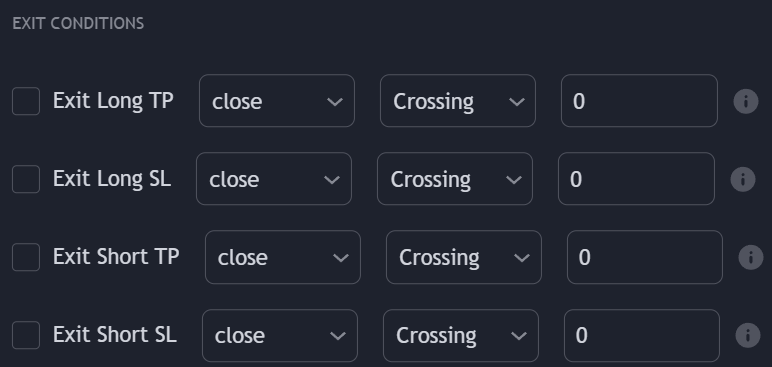
Users can close any position on a profit or loss using specific crossing conditions obtained from external sources. Exits conditions can be enabled in the **EXIT CONDITIONS** settings section.
Oscillators are intended to be used as external source when it comes to TP/SL conditions, but users can directly create scripts returning scaled outputs from overlay indicators.
### Exit Take Profit [#exit-take-profit]
Long/Short take profits exits conditions will exit a long or short position when a set condition is met such that the position exit on a profit.
Take profits conditions are triggered if they are toggled on for a specific order (Long/Short) and if the selected external source is either **Crossing**, **Crossing Up**, or **Crossing Down**, **Greater Than**, **Lower Than**, or **Equal** to the numerical value specified by the user.
### Exit Stop Losses [#exit-stop-losses]
Long/Short stop losses exits conditions will exit a long or short order when a set condition is met such that the position exit on a loss.
Stop losses conditions are triggered if they are toggled on for a specific order (Long/Short) and if the selected external source is either **Crossing**, **Crossing Up**, or **Crossing Down**, **Greater Than**, **Lower Than**, or **Equal** to the numerical value specified by the user.
### Time Exits [#time-exits]
Time exits allow users to exit trade from a specific time of the day. Note that trades are still exited at the opening of the next bar.
The timezone is the same as the one of the chart symbol.
### Placeholders [#placeholders]

Users who do not wish to use a numerical value to evaluate a condition with an external source may use a placeholder instead, which allows using prices. The following placeholders are supported:
* `open` : Opening price
* `high` : High price
* `low` : Low price
* `close` : Closing price
* `hl2` : Median price
* `ohlc4` : Average price
* `hlc3` : Typical price
* `hlcc4` : Weighted price
## Exit on Entry [#exit-on-entry]
Enabling the **Exit On Entry** setting will close any existing position when an entry condition leading to a new opposite position is met.
## Partial Exits [#partial-exits]
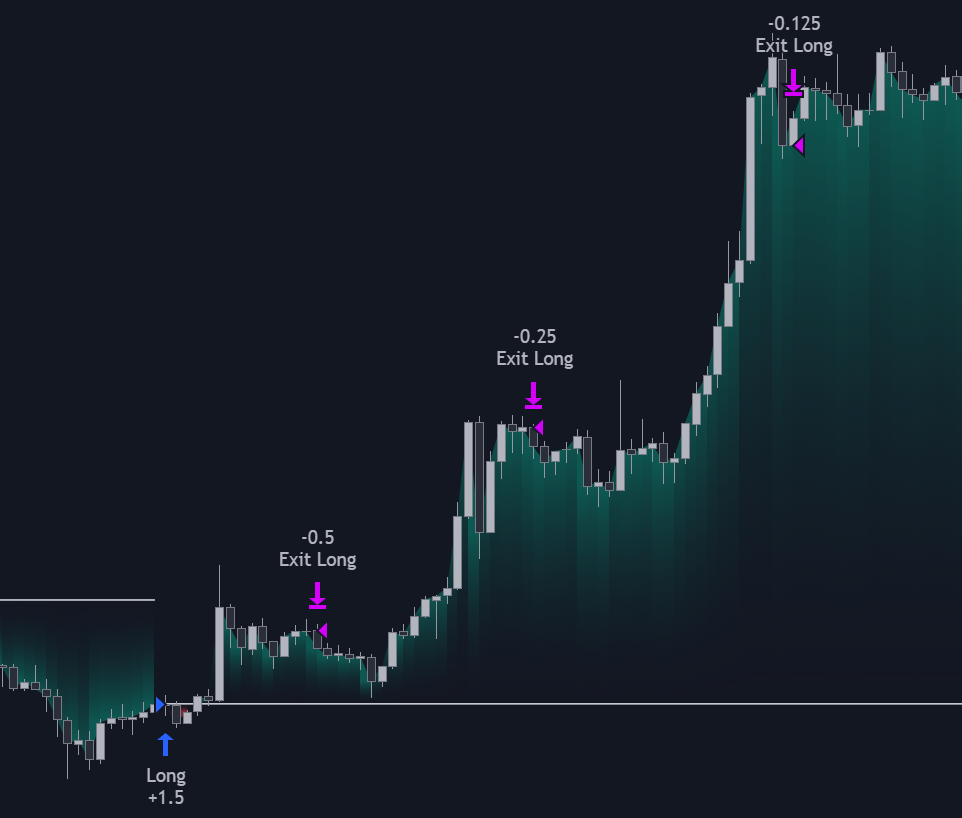
Users can exit a percentage of an existing position by specifying a percentage lower than 100%. This can lead to sequential exit, with reduced exposure each time an exit is triggered.
## Only Exit On A Profit [#only-exit-on-a-profit]
Enabling "Only Exit On A Profit" allows only triggering an exit if this exit leads to a profit, effectively preventing any exit that would lead to a loss.
This can be useful to increase winrates of strategies.
Enabling this setting alongside "Dont allow trades until closed" can prevent any losing trade from being exited, leading to a theoretical 100% winrate without a stop-loss.
Do note however that a unprofitable trade can be held for an unlimited amount of time, leading to unrealistic scenarios.