# Access on TradingView (/platform/algos/access-on-tradingview)
Once you've signed up to any plan on [our website](https://luxalgo.com/pricing) -- you will be able to see a place to "Connect Accounts" and enter your TradingView username to get instant access to use our exclusive tools compatible with TradingView.
In order to use our exclusive tools, you need to open a chart on TradingView.

Once your chart is open, click on **Indicators** (or type **/** ) to open the indicator menu, then click on "**Invite-only Scripts**". You should see the names of each Toolkit, Screener, or Backtester appear in this folder and you can click on one them to add to your chart.
Remember, you don't need to use all of these tools at once. It is suggested for users to explore through our tools to find a couple features that fit most optimally in your trading.
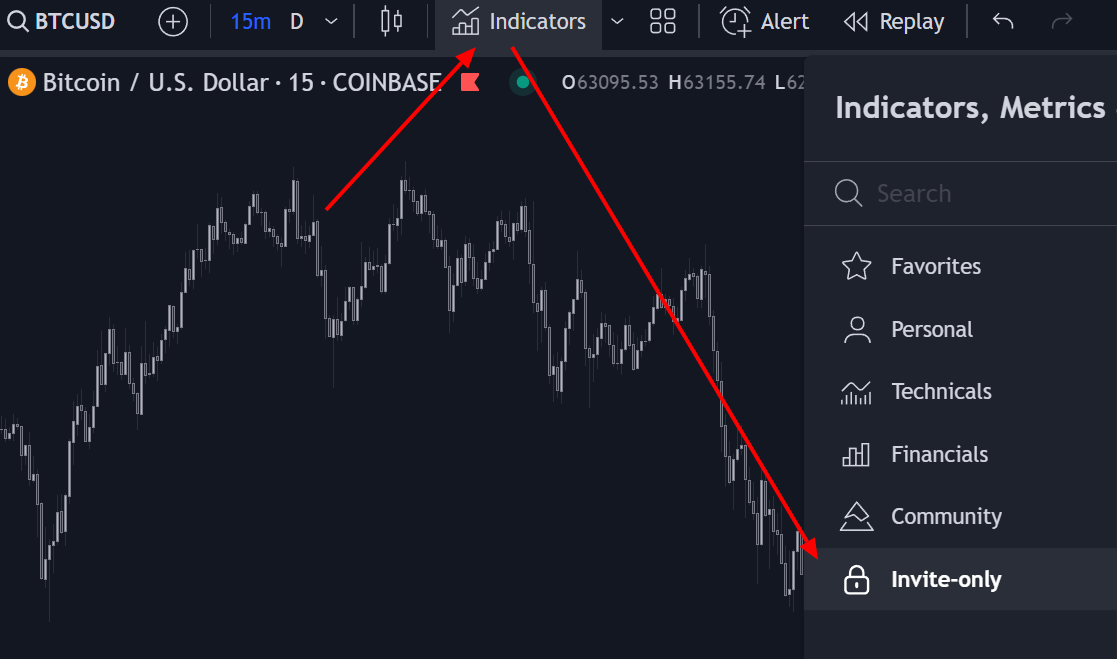
If you don't see the invite-only scripts folder or the locks appear red, please first try refreshing your browser/app. If this still doesn't have them show up, please email [support@luxalgo.com](mailto:support@luxalgo.com) with your TradingView username or contact live-chat on our website and our team will grant you access right away.
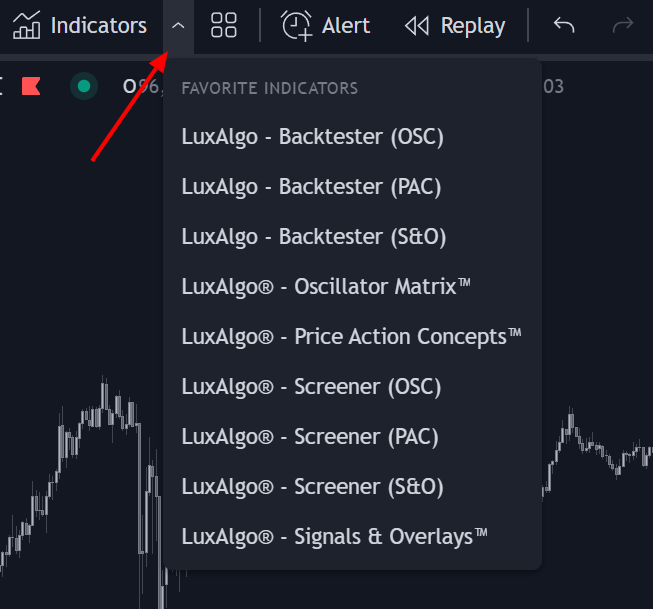
If you want to quickly access our tools you can add them to your favorites by clicking on the star at the right of their names in the folder. You will then be able to load the starred indicators directly from your favorites tab while on your charts.
## Troubleshooting [#troubleshooting]
Double-check the username you entered in the Connect Accounts portal, then refresh TradingView and look under **Indicators → Invite-only scripts**.
If you created your TradingView account moments before connecting it, give it 5 to 10 minutes to be indexed by TradingView, then reconnect. Still stuck? Tell our live support team your TradingView username and we will fix it. If you're speaking with the AI agent, just ask for a human.
Yes, we allow username changes in most scenarios as long as it's not too frequent. Send your new username alongside your old username to [support@luxalgo.com](mailto:support@luxalgo.com), or ask our live support team on the website. If you're speaking to an AI agent, request a human for this.
No. The plug-ins are fully functional on TradingView's free plan. [You can sign up for free here](https://www.tradingview.com/gopro/?share_your_love=LuxAlgo).