
Billing
Monthly and annual billing, renewals, invoices, payment methods, and plan changes.
Billing lives on the Billing page of your account (app.luxalgo.com/account/billing), your plan on the Plan page (app.luxalgo.com/account/plan), and Quant's plan usage and extra usage on the Usage page (app.luxalgo.com/account/usage). The governing terms are Sections 6 to 8 of the Terms of Service.
Monthly or annual
- Monthly plans bill every month. Annual plans bill once a year at a lower equivalent monthly price. Compare the current rates on Plans.
- Plans renew automatically at the end of each billing period, at the then-current rate for your plan, until you cancel. The renewal date and amount are shown at checkout, in your account, and on your invoices.
- Promotional pricing applies to the first payment unless the offer says otherwise at purchase. Renewals bill at the standard rate.
- If LuxAlgo makes a material change to your subscription terms, such as recurring charges or renewal terms, you're told by email in advance and can cancel before it takes effect.
Invoices and receipts
Billing history, on the Billing page, lists your past invoices and receipts, each with a link to the invoice. Receipts appear after your first payment. The name and address on your invoices come from Billing address on the same page.
Payment methods
Under Payment methods on the Billing page, you can add a payment method, set a default, or remove one. A card that expires before your next renewal is flagged there. The payment options offered at checkout depend on your country, currency, and billing interval.
Tax, where it applies, is calculated at checkout from your billing address. In some countries prices are shown and charged in local currency, and the currency your account first bills in stays fixed for that account.
Changing plans
Select Change plan on your plan card, or choose a plan under Available plans on the Plan page. You see what changes and what you'll pay before you confirm.
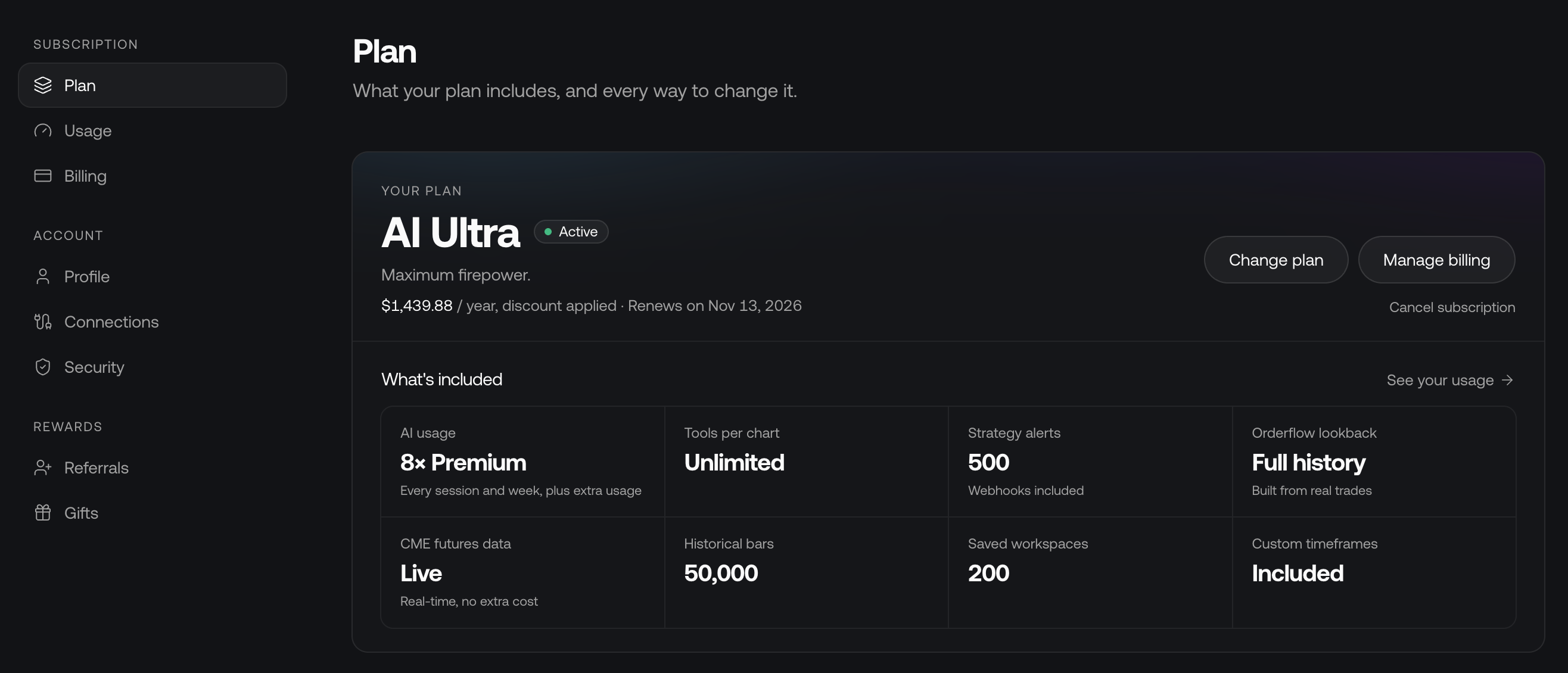
- Upgrades take effect immediately. You're charged the full price of the new plan, and the unused time on your current plan is converted into time on the new plan.
- Downgrades take effect at the end of your current billing period, and you keep your current plan until then. Select Cancel Downgrade on the same page to keep your plan. When a downgrade takes effect, Custom Alerts over the new active-alert or market limits are suspended; Price Alerts remain unlimited. Webhook delivery requires Essential or above. Review how plan changes affect alerts. Existing Screener alerts are paused after a downgrade.
- Extending a yearly plan works like an upgrade: you're charged today and your remaining time is carried over. Monthly plans can't be extended.
- A subscription can be upgraded or downgraded up to 3 times. Changing plans removes any discount on your subscription, and plan changes aren't refundable.
- Changing plans while a cancellation is scheduled removes the cancellation.
- Gifted plans can't be changed; they end automatically at the end of the gifted term.
Failed payments
If a renewal payment fails, you're notified by email, and a banner on LuxAlgo and on Vela says the payment didn't go through, why it was declined where we know, what fixes it (a new card, another payment method, or approving the charge with your bank), and the date your plan stays active until.
- Update card (or Add a new card) opens Update your card right where you are. Save and pay saves the card and charges the open renewal at once, so access continues without waiting for the next retry. Pay invoice is still available.
- Your plan stays active for 30 days from the first unpaid renewal. Reminders follow, and a final notice is sent before access ends. Access never ends sooner than 3 days after that final notice.
- On Vela, the banner can be put away for a day. In the final 7 days it stays, says when your plan ends, and offers to downgrade or pause instead.
If the renewal isn't paid in time, the subscription is cancelled and your account returns to the Free plan.