
Making strategies
Have Quant write a strategy or convert an indicator, backtest it on the chart, read its trades, try new settings, and stress-test the results.
Ask Quant, our coding agent, for a strategy in the chat. The difference from an indicator is the script itself: a strategy is Pine Script® with a strategy(...) declaration instead of indicator(...), which means it can place simulated entries and exits and produce a backtest. Quant plots it on the active chart in Vela, our next-generation charting platform, like any other script.
Backtesting is research, not prophecy: it tells you, with data, how an idea behaved on the history you ran it on. It doesn't predict how it will behave next.
You can create, edit, and remove multiple indicators and strategies in the same chat; name the strategy you want to change when working with several. Scripts stay on the workspace until removed. See Several scripts in one chat and Keep it on the workspace for My Scripts and the current Add to chart behavior.
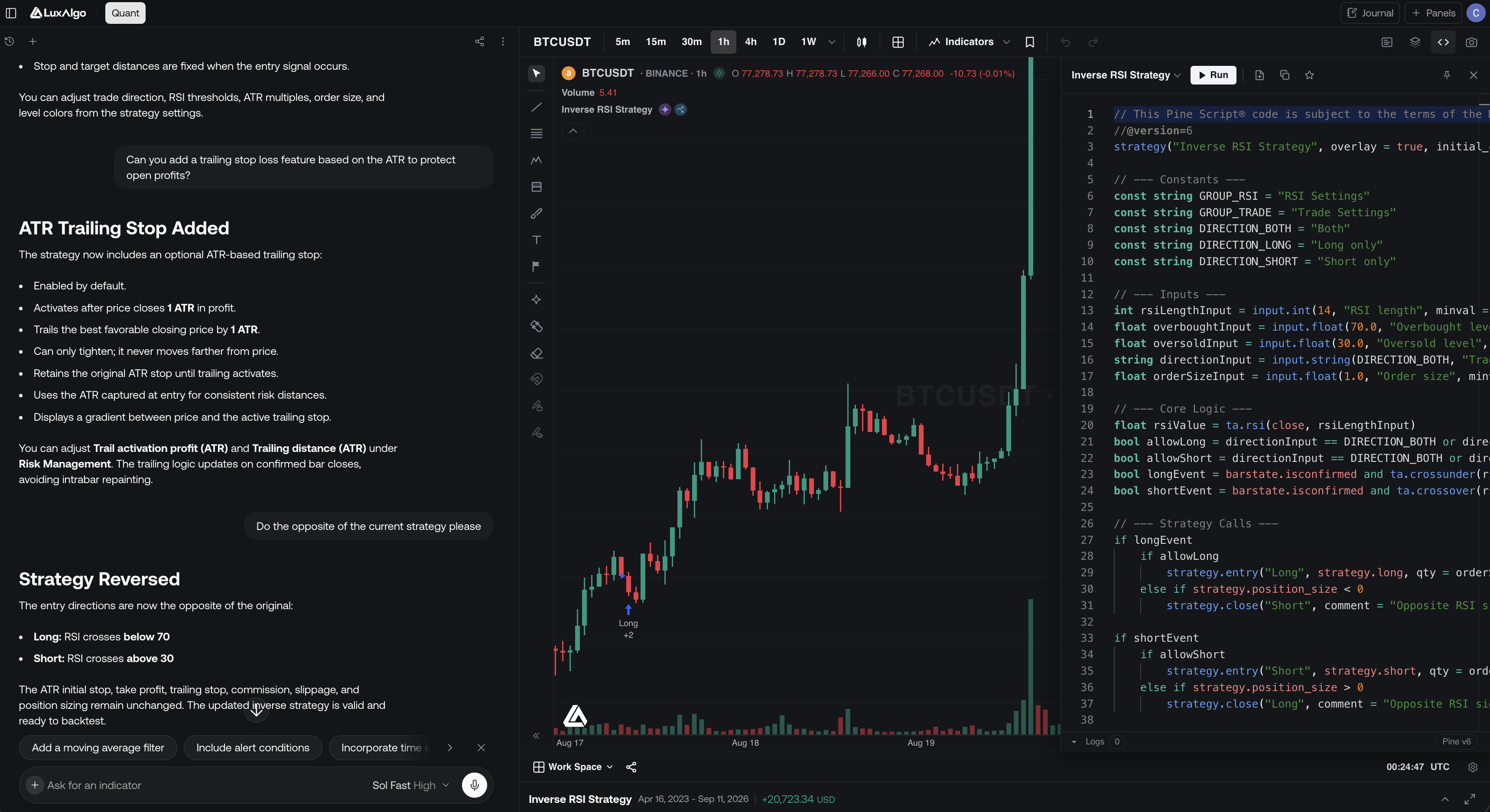
Set the market and timeframe
Put the chart on the symbol and timeframe you want to test, or include them in the request ("backtest this on 4h ETH"). Quant sets the chart up before it writes the strategy.
Describe the strategy
Tell Quant the trade logic in your own words: what triggers an entry, what closes the position, and any risk rules (stop loss, take profit). The more concrete the conditions ("enter long when the 20 EMA crosses above the 50 EMA" rather than "buy on momentum"), the closer the first draft will be.
Review and run
Quant writes the strategy and runs it on the chart's history. Open Pine editor to review the script; you can edit it and Run it yourself (after you sign in).
Read the backtest
Quant sees a one-line summary of the run (net P&L, profit factor, trades, and max drawdown) and mentions it in the reply. The chart marks entries and exits, and a Backtest Summary strip appears below with net profit, trade count, win rate, max drawdown, and profit factor. How to read all of it (the summary strip, the full viewer, inputs, and saving runs) is covered in Strategies.
Convert an indicator into a strategy
If the editor already holds an indicator, you have two routes:
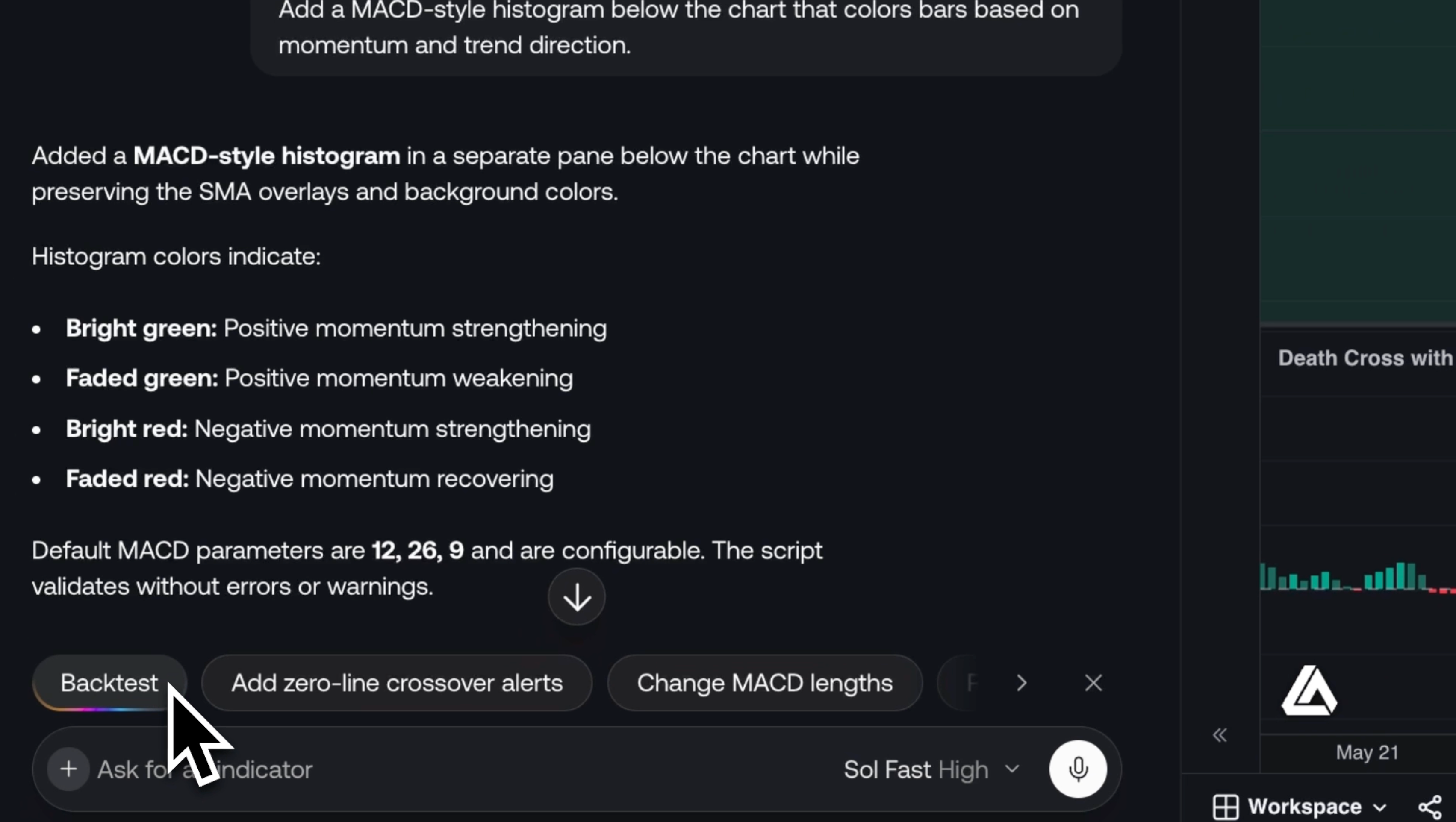
- Click the Backtest button in the toolbar. Quant rewrites the script with entries and exits while keeping the original concept.
- Ask in the chat: "convert this into a strategy that goes long on the buy signals", which is useful when you want to control exactly how signals map to trades.
The toolbar Backtest action only appears when the editor holds indicator code (not already a strategy).
Dig into the trades
Ask about specific trades and Quant reads them from the strategy itself: side, quantity, entry and exit time and price, and P&L.
- "Where did the strategy enter last week, and what did those trades make?"
- "Which of the last 20 trades were the biggest losers?"
- "How long did the last five trades stay open?"
For the full picture, open the Backtest Viewer from the summary strip:
| Tab | What it shows |
|---|---|
| Performance | The net profit curve, summary metrics, daily P&L, weekday results, and longs versus shorts |
| Trades Analysis | Distributions: P&L, win rate, and trade duration against P&L |
| Trades Log | Every trade, sortable, with a calendar view of daily results |
| Simulation | How the results vary when the trades repeat or arrive in a different order |
Tune it without re-generating
To test a different value, ask Quant to change the input ("try a 50-period filter") instead of rewriting the strategy. The strategy re-runs and its backtest updates. See Change a script's settings.
You can also open the settings gear in the toolbar yourself:
- Inputs: the script's
input.*parameters (lengths, thresholds, toggles). Changes re-run the backtest immediately. - Properties: the simulation itself (initial capital, order size, pyramiding, commission, slippage, and margin). Set commission and slippage before trusting any result: leaving them at zero flatters every strategy. See Script settings.
Use the chat when you want to change the logic; use inputs and properties when you want to change the numbers.
Stress-test it with Simulation
The Simulation tab in the Backtest Viewer replays the backtest's closed trades many times:
- Resample picks trades at random, with repeats, so totals vary. Shuffle keeps the same trades in a new order, so the path and drawdowns vary.
- Run 250, 1,000, or 2,500 simulations.
- Test a drawdown level as a multiple of the backtest's own max drawdown (1.5×, 2×, 3×, or your own), and see how often runs got that deep.
- Risk of ruin is how often a run lost all of the starting capital.
Simulation works from the trades the backtest produced, net of commission. Its numbers are estimates of repeatability and sequencing risk, not predictions, and it can't show market conditions the backtest never saw. The Simulation guide walks through every setting and chart.
Fix errors
Quant code repair is included with Premium, Ultimate, and AI Ultra. See Plans for feature access.
Fix with Quant addresses syntax and runtime errors. Runtime errors are the ones to watch with strategies: they surface only after the script runs over history or hits new bars, and appear as a message at the bottom of the chart.
Before you trust a result
- Use a standard chart type. Heikin Ashi candles are averaged prices you can't trade at, so a backtest on them isn't realistic.
- Check the sample. A handful of trades is noise. Look at the trade count before the profit.
- Re-run where you'll trade it. Results depend on the symbol, timeframe, and data they ran on, and don't carry over to another market or interval.
To follow a strategy condition, ask Quant to set up a Custom Alert. Review the condition and preview before creating it.
The older Strategy Screener and its alerts retire on November 14, 2026. See Screener alerts and retirement.
Making indicators
Have Quant write an indicator from a request, a screenshot, or a chart region, manage several scripts in one chat, add Library indicators, and repair errors.
Drawing on the chart
Ask Quant to mark up your chart. ICT and classic levels, zones, and scenarios land as editable drawings on your chart's own candles.