
What is Quant?
Our coding agent, built into Vela. It reads and marks up your chart, writes and repairs indicator and strategy code, and runs what you approve.
Quant is our coding agent and the intelligence inside LuxAlgo, built into Vela, our next-generation charting platform. It sits next to the chart, reads what's on it, writes and repairs indicator and strategy code, proves it against history, and runs what you approve. It also works the chart itself: it sets up the symbol, timeframe, and layout, marks up levels and zones as real drawings, and reads exact prices, plot values, and trades. Ask in your own words or drop a screenshot; no code required.
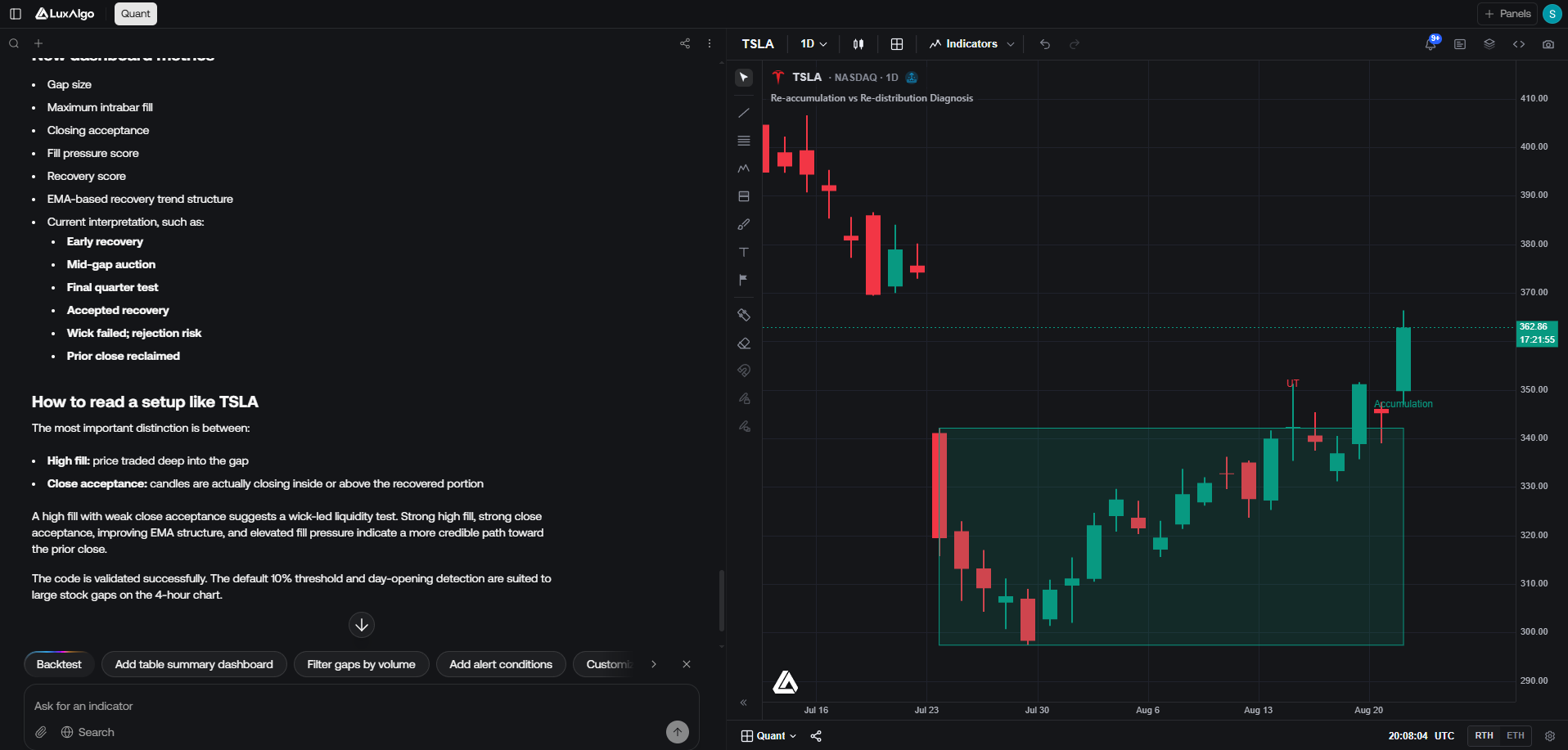
Under the hood, Quant writes Pine Script®, the same scripting language used across the trading industry. Every script Quant produces is real, inspectable code: open Pine editor from the right-hand panel rail to review or edit it, then press Run to execute it against the chart's data. If you already know Pine Script®, you can edit the generated code directly and re-run it; if you don't, you never have to look at it.
One chat can create, edit, and remove multiple scripts, including indicators and strategies, and add scripts from the LuxAlgo Library. Scripts Quant creates are saved to your account and stay on the chart until removed; there is no separate step to commit them to the workspace. Find them under My Scripts in the Indicators picker, next to scripts you saved from the Pine editor. See Several scripts in one chat.
In a multi-chart layout, new scripts go on the active cell: the chart you last clicked. Chart changes, markups, and data reads also target the active chart unless you name another chart in the layout. Quant's scripts are marked in the chart legend so you can tell them apart from library studies.
Quant code repair is included with Premium, Ultimate, and AI Ultra; every plan includes Quant usage for generating scripts. See Plans for the full comparison.
What Quant can do
Making indicators
Write a study from a request, a screenshot, or a region of the chart. Manage several scripts in one chat, find them in My Scripts, and add Library indicators.
Making strategies
Write or convert a strategy, backtest it on the chart's history, read its trades, and stress-test the results.
Drawing on the chart
Mark up fair value gaps, liquidity, structure, key levels, and your own scenarios as editable drawings on your chart's own candles.
Working the chart
Set up the symbol, timeframe, chart type, range, and layout, read exact prices, plots, and trades, ask how often a setup happened, and try new script settings without new code.
Trading with Quant
Read your paper account, approve the orders and exits Quant proposes, and check a strategy against prop firm rules.
FAQ
Answers to common questions, and every limit that applies to Quant in one place.
Try it
Open Vela
Go to vela.luxalgo.com, or click Open Vela in the sidebar. Quant opens beside the chart. You can browse a chart without an account; sign in to run scripts and keep your chat history.
Describe what you want
Type a request in the chat. It can be as simple as "An RSI oscillator with signals" or as specific as describing exact entry conditions, colors, and line styles. You can also paste a screenshot, or select a region on the chart and ask about what's in it.
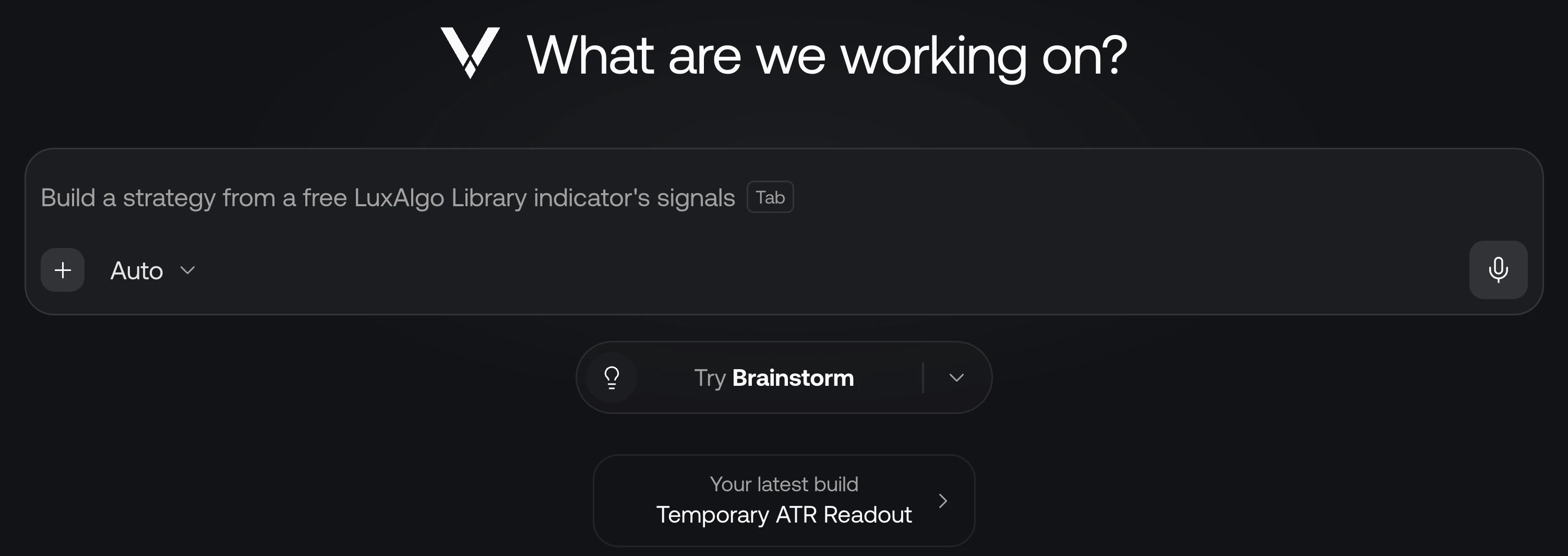
An empty chat opens on Where should we start?, with a line on what the markets are doing and Your latest build to pick up where you left off.
- The empty prompt cycles through requests picked for you. Press Tab to fill in the one showing, then edit it or send it.
- The Try pill under the prompt rotates through starting points. Click it, or open its menu to choose My chart, Strategy, Indicator, Fix my code, From a screenshot, or Brainstorm. With a script open, Improve this script joins the list. Each opens example requests that fill the prompt without sending it.
Review and run
Quant writes the script and plots it on the active chart. Open Pine editor to inspect the Pine Script®, then Run. From here you iterate: ask for changes, create another script, or ask Quant to remove a script in the same chat. Name the script you want to change when the chat contains several.
Ask about the chart
Quant isn't limited to code. Ask it any trading or chart question: what a pattern on the chart means, how an indicator works, or what would confirm or invalidate a setup. When the question is about the chart, Quant looks at the chart first. It answers from what Vela has (price and volume on any symbol and timeframe, and Orderflow from real trades where the market has it) and searches the web for outside facts that change. For an exact number, it reads the chart's data instead of estimating from an image.
Quant analyzes; it doesn't give personal financial advice or promise outcomes, and it treats a backtest as history, not a forecast.
Follow Quant as it works
As soon as you send a request, a live activity view opens above the reply. It shows short summaries of what Quant is considering, with elapsed times, then the material it reads, the code it writes, edits as diffs, and chart changes. A new thought can appear over the code while Quant continues working. These are progress summaries, not a transcript of internal reasoning. Errors switch to Fixed once Quant repairs them. After it writes or edits a script, Quant also sees how the script ran: any runtime errors and, for a strategy, a one-line backtest summary (net P&L, profit factor, trades, and max drawdown). It fixes runtime errors in code it wrote. If a Library indicator it added fails on Vela, it doesn't edit it; it tells you what failed and offers an alternative. Before chart work, such as a markup, it says in one line what it's doing. When the reply is done, the activity view folds into a one-line summary. Click it to inspect the completed steps, grouped into branches for thinking, research, code, and chart work. Select a step to open its details.
Replies lead with the answer, then use short paragraphs and lists. Caveats are grouped under Notes, and a reply ends with at most one follow-up question.
Open and close the Quant panel
On desktop, use Quant in the chart header to show or hide the panel. You can also click × in the Quant panel's header to hide it. Drag the divider between Quant and the chart to resize the panel.
Follow-up suggestions
After a reply, up to three suggestions sit on the top edge of the prompt, each shown in full. Backtest comes first when it is offered; any others wait behind N more. Hover or focus a suggestion to see exactly what it sends.
Click a suggestion to send it, or Shift-click it to put its message in the prompt so you can edit it first. The suggestions step aside while you type and come back when the prompt is empty.
Paper-trading prompts to move a stop or close a position appear when there is an open position to manage. Prompts to cancel orders appear when there are working orders. Exit follow-ups disappear after the position closes.
To hide the suggestions, right-click one and choose Dismiss suggestions. On a touch screen, long-press; with a suggestion focused, use the keyboard's menu key.
Model and reasoning
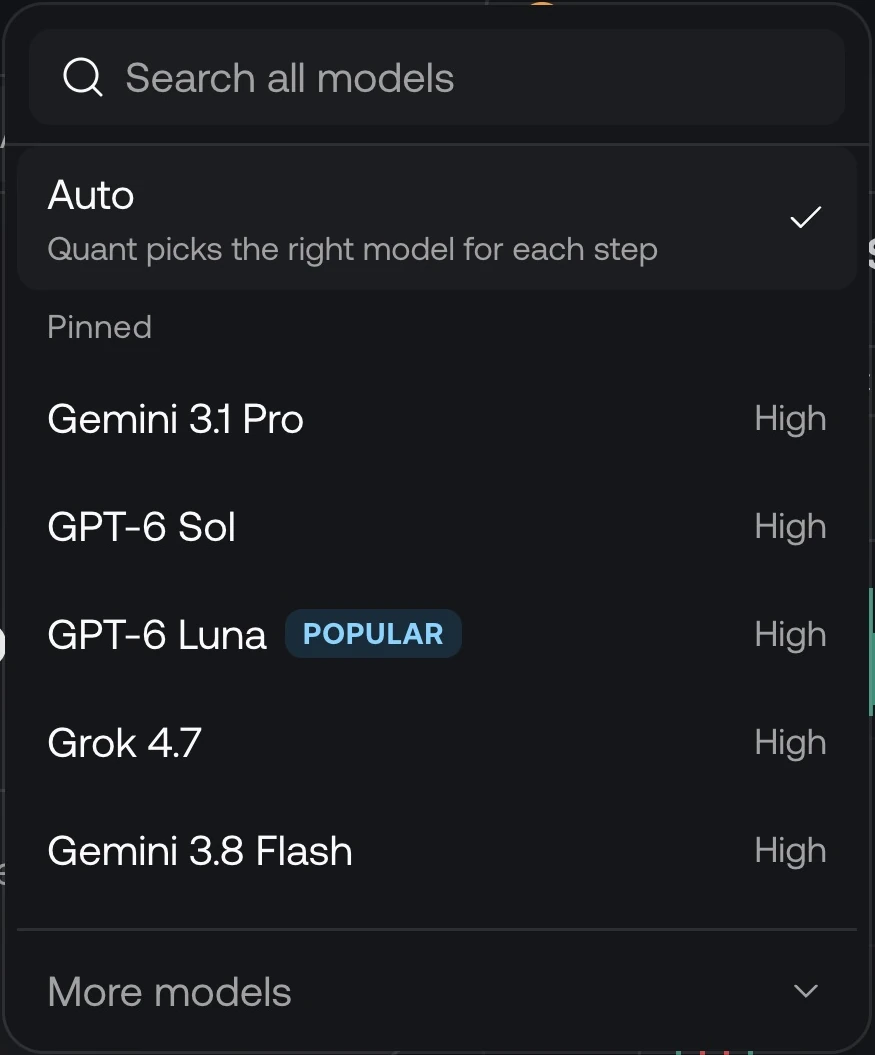
Auto is the default: Quant picks the right model for each step, using a stronger model for the first step of a build and when a script keeps failing. Auto isn't offered on Free.
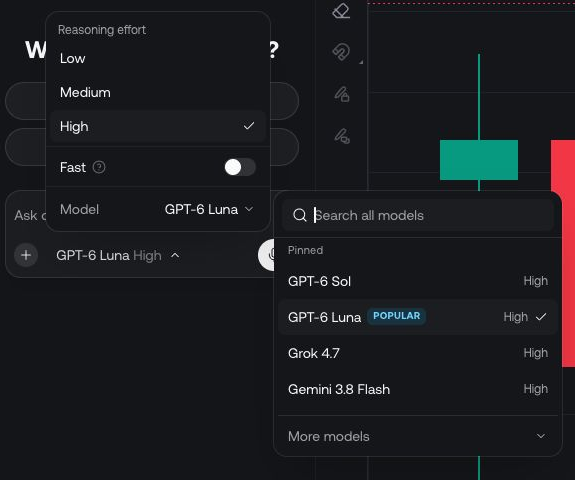
Click the model name below the prompt to change it. Open Model to search the full list, with your Pinned models first and More models below; a model's details show roughly how much faster it uses your plan usage than the included model. Choose an available Reasoning effort for models that offer one. The available models and effort levels can change; use the picker for the current choices.
The same menu includes Fast. Check the selected model, effort, and Fast setting before sending a request, especially when switching between quick edits and more involved work.
Attachments, web search, and voice
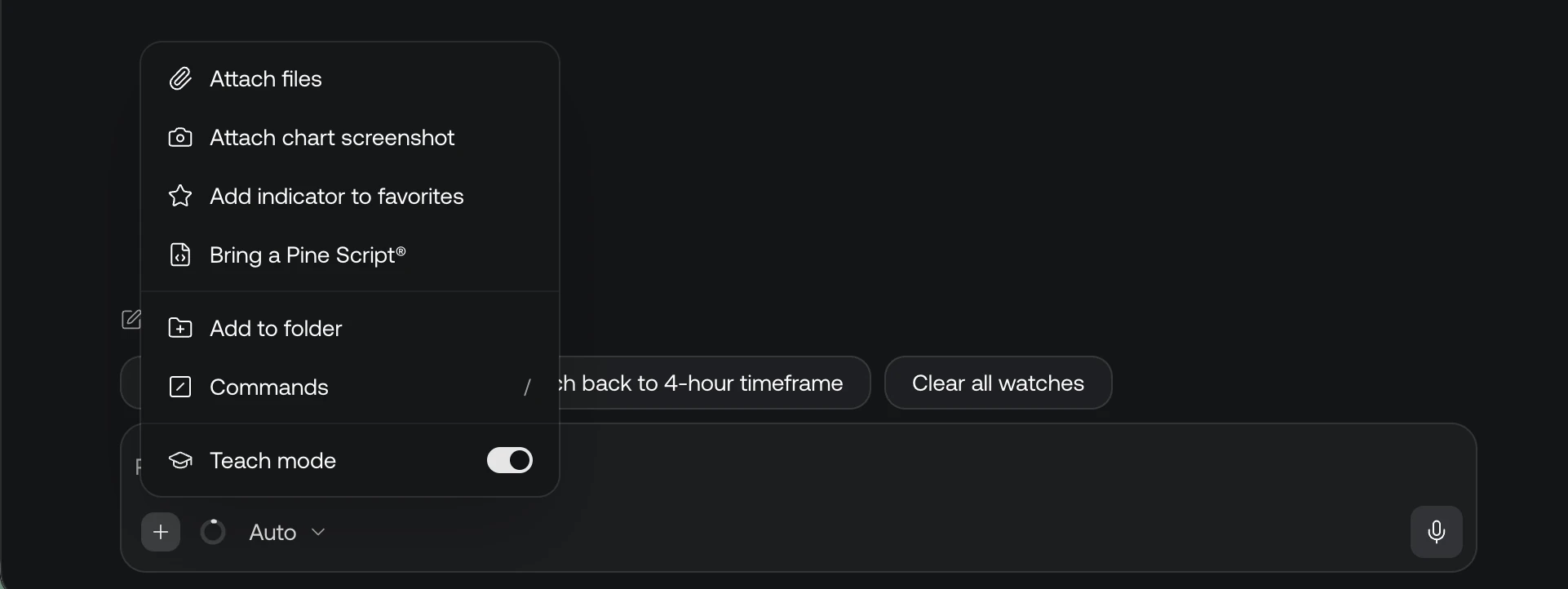
Open + (Add attachments and tools) beside the prompt to attach files or a chart screenshot. When a script is open, the same menu can add it to your favorites. It also holds Add to folder (or Saved in with the folder's name, to change it), Commands (the same list / opens), and Teach mode, where Quant explains the why behind each step of a watch.
There is no web search setting to turn on. When a request depends on outside facts that change, such as a prop firm's current rules, Quant searches the web on its own. Its sources appear as links in the reply and in the timeline ("Checked the web for …"); check them before relying on the answer.
The microphone starts voice input so you can dictate a request. Review the transcribed text before sending it. See Making indicators for image input and chart-region capture for a focused crop.
Edit, stop and continue
- Hover a message to see when you sent it (hover the time for the full date), with Copy and, on your latest message, Edit. Pressing ↑ in an empty prompt edits it too. Sending the edit replaces that message and everything after it; Esc cancels. Only your latest message can be edited, and not while Quant is replying. On a touch screen the row is always shown.
- Copy under a reply copies Quant's answer.
- Stop ends a reply right away.
- Rate a reply with the thumbs under it: Helpful or Not helpful. After a thumbs down you can say what could be better, if you like. Click the filled thumb again to take the rating back.
- A reply that thinks for a long time says so: deeper reasoning can take a few minutes.
- A long task pauses to check in after 40 steps. Press Continue to keep going.
Chat history and placement
When signed in, open Chat history above the conversation to return to a previous chat. Its search covers your chat titles and the names of the scripts they wrote. Chats are listed by last activity, with any you Pin at the top under Pinned. Use New Quant chat (+ at the top of the chat) when starting a separate idea.
A new chat is named for you from the market and the idea, and renamed once after its first script. Chat options › Rename gives it your own name, which is then never changed. Reopening a conversation lets you continue its discussion; Pine editor version history is a separate, temporary session history.
Use Chat options to move Quant to the left or right of the chart. Drag the divider to resize the chat, or use the Quant control in the top bar to show or hide it. On the chart, clicking Quant in the left sidebar reopens a hidden chat and puts the cursor in the prompt.
Share a chat
Open a chat you own, choose Share, turn on Public access, then copy the link. To stop sharing the original chat, turn Public access off again.
Recipients must sign in to read the full conversation. Free accounts have a limited number of shared-chat views; reaching that limit requires a paid plan to view more. Sharing or copying a chat does not unlock paid Library source code that the recipient's plan does not include.
The link opens the conversation in the recipient's own workspace. To share your chart layout, drawings, and indicators, use workspace sharing.
Usage
Every plan includes Quant usage over a 5-hour session and a week, shared with the Strategy Screener. Your first message starts a session, which refills 5 hours after it started; the week resets for everyone every Friday at 5:00 PM ET, shown in your time zone. Bigger requests and longer conversations use more.
| Plan | Plan usage |
|---|---|
| Free | Included |
| Essential | 3× Free |
| Premium | 5× Free |
| Ultimate | 2× Premium |
| AI Ultra | 8× Premium |
On a paid plan, extra usage, a prepaid balance, keeps Quant going past your plan usage. Track both on the Usage page of your account (app.luxalgo.com/account/usage). See Plan usage for extra usage, referral rewards, and how plan changes affect your limits.
Before a big build, Quant shows a plan: the parts, about how many lines, and about what share of your session and week it will use. It waits for Build it or Make it smaller only when the build would use 10% or more of your session or 5% or more of your week; smaller builds start right away at full size. A live checklist ticks off the parts as they compile, and a build too big to load quickly as one script is split into a few. See Big builds.
A message that fails before Quant answers isn't charged, and compile errors Quant fixes in the same reply don't count toward your usage. On a long reply, Quant may pause and offer Continue. If you reach a limit mid-reply, Quant finishes the reply within a small margin, and that counts toward your week. See Not charged and paused replies.
Long chats use your plan usage faster, because the whole conversation is context for every new request. Start a new chat around 50 messages, especially when you switch to an unrelated script.
Set up alerts
Quant can help set up Custom Alerts from indicator or strategy conditions. Describe the condition, markets and frequency, review its historical preview, then confirm the proposed alert. For a simple price level, use a Price Alert from the chart.
Strategy Screener and its older alerts retire on November 14, 2026. Use Quant to build and backtest strategies, and review Screener alerts and retirement if you have existing alerts.