
Trades
Log fills, review a round trip, and see those trades on the chart.
Screenshots use illustrative demo data.
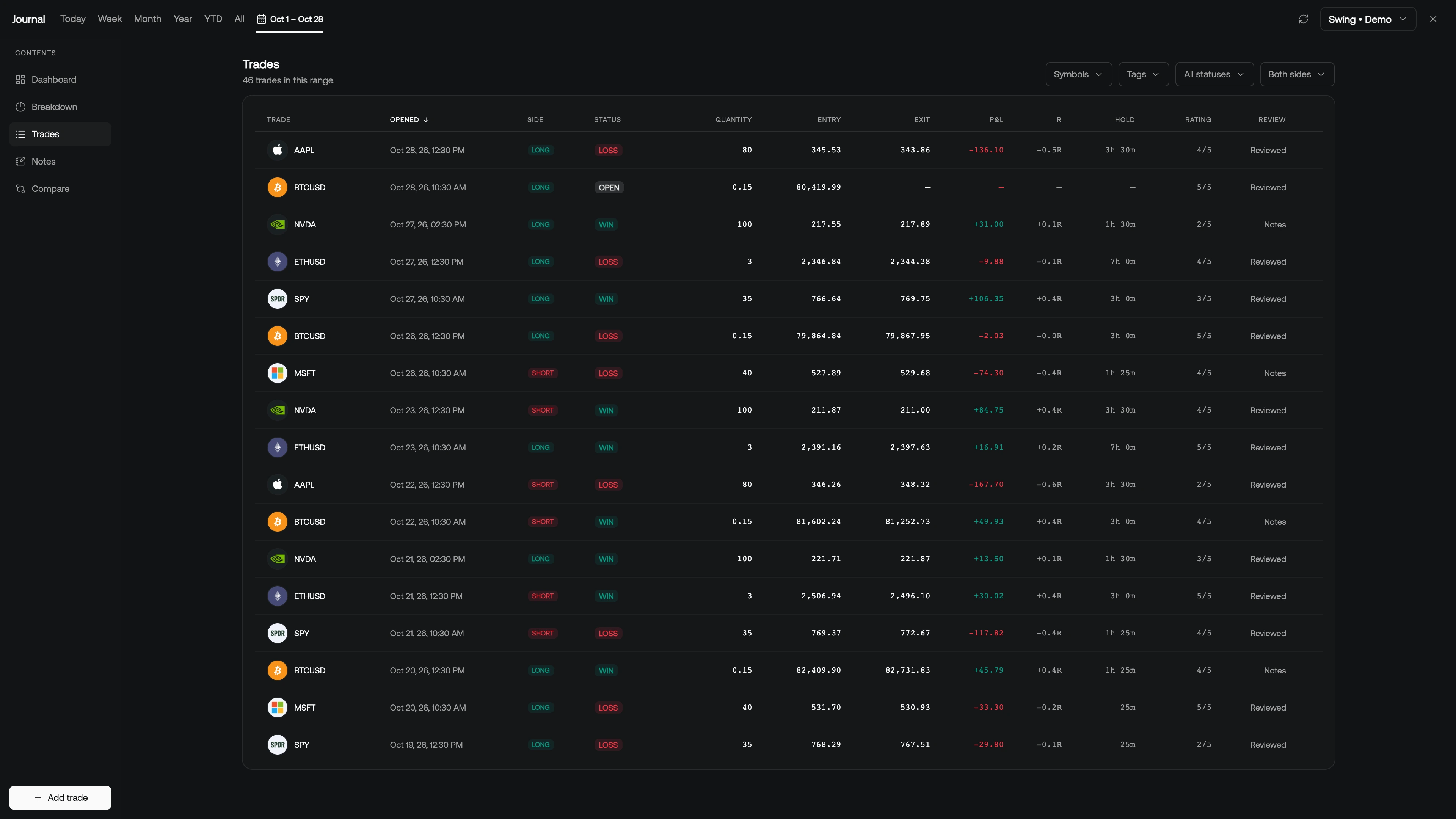
You log fills. The journal derives the round trip from them. Open Trades from the maximized sidebar for the searchable book, or work from the compact column.
Add a fill
Click Add trade (plus) in the column header, or Add trade in the maximized sidebar.
- Pick a manual or import account. Broker-synced accounts only take broker fills.
- Pick a symbol (Symbol Search).
- Set Buy or Sell, Quantity, Price, optional Fee, and Executed at.
- Add trade.
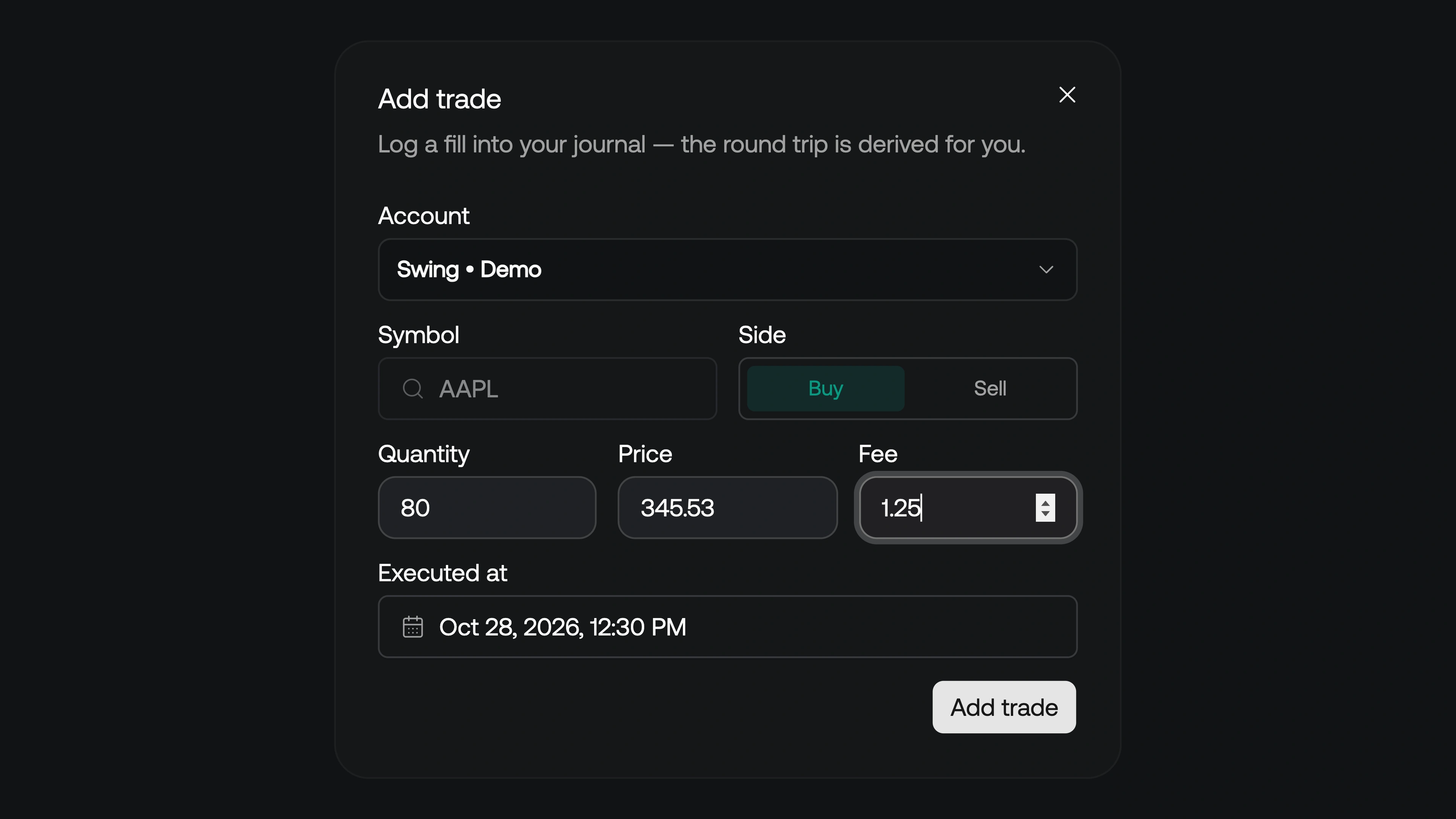
A second fill on the other side of the same symbol closes (or reduces) the position. You do not enter "a trade" as one row — you enter the executions, and the book is rebuilt.
From the chart
Click Add trade on chart (the crosshair, next to Add trade in the column header), then click a bar on the chart. The click does not leave a drawing: it captures time and price and opens the same Add trade dialog, prefilled with the chart's symbol, the clicked price, and that bar's time. Finish quantity and side, then save.
Magnet snapping works the same as any other drawing tool, so the fill can sit on an exact OHLC. With several charts in the layout, the button arms the active chart. Clicking another chart first cancels it, so click Add trade on chart again with the chart you mean active.
Add note on chart (the note icon beside it) works the same way and appends to that bar's day note.
Trades on the chart
While the Journal is open, matching trades paint on the price pane:
- An entry triangle at average entry (up for longs, down for shorts)
- An exit flag at average exit
- A dashed line between them carrying the net P&L
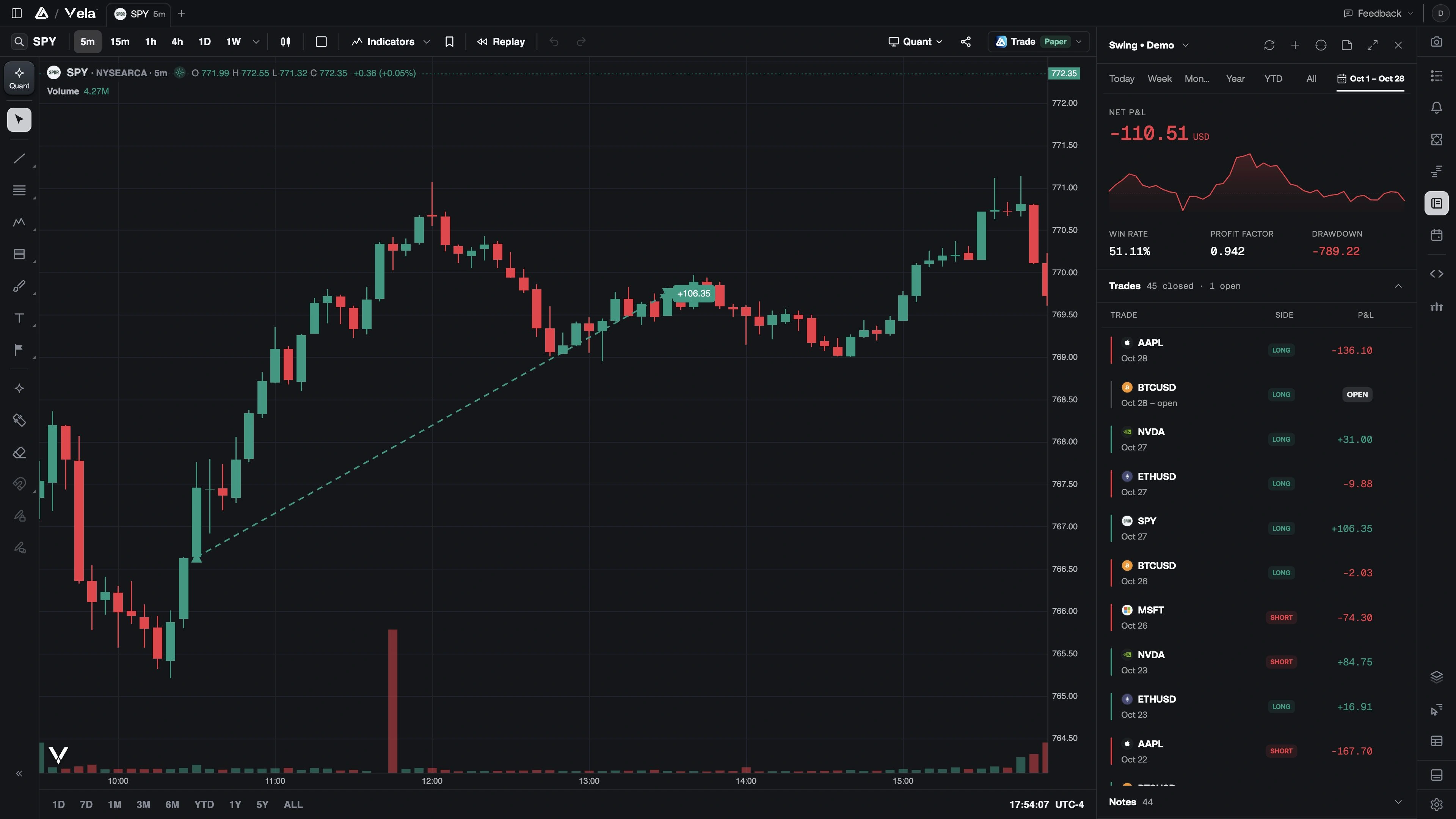
Markers follow the selected account (or All accounts) and only the chart's current symbol. Closing the Journal removes them. They are not drawings, they do not save with the workspace, and they do not use an indicator slot.
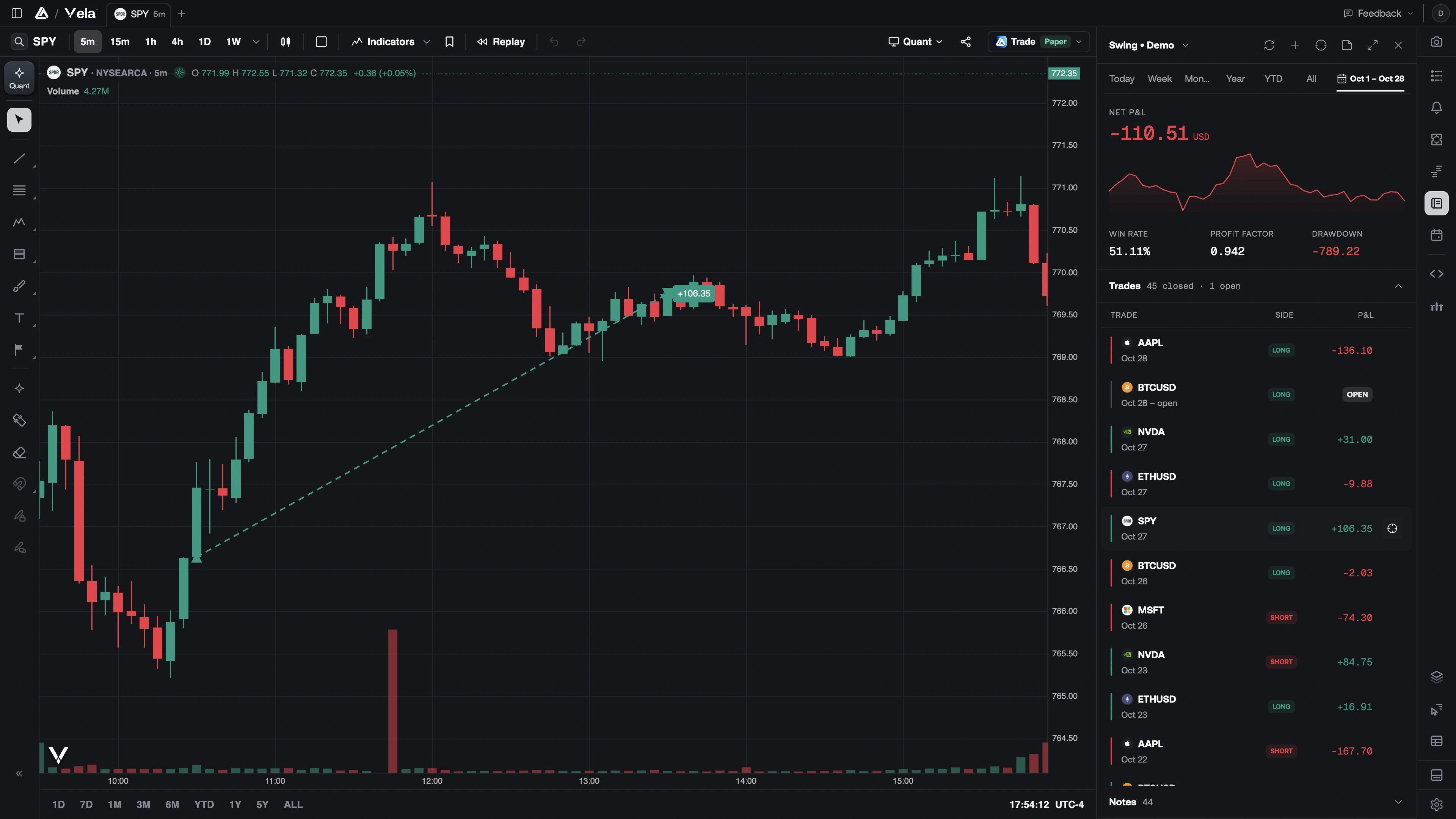
From the compact trade list, hover a row and use Show on chart (the crosshair) to load that symbol on the active chart and frame the hold.
Review a trade
Open a trade from the column, the dashboard list, this page, or a day review.
You get the snapshot (opened / closed, duration, quantity, average entry and exit, fees, gross and net P&L, realized R), a running P&L across exits, and every fill in the round trip.
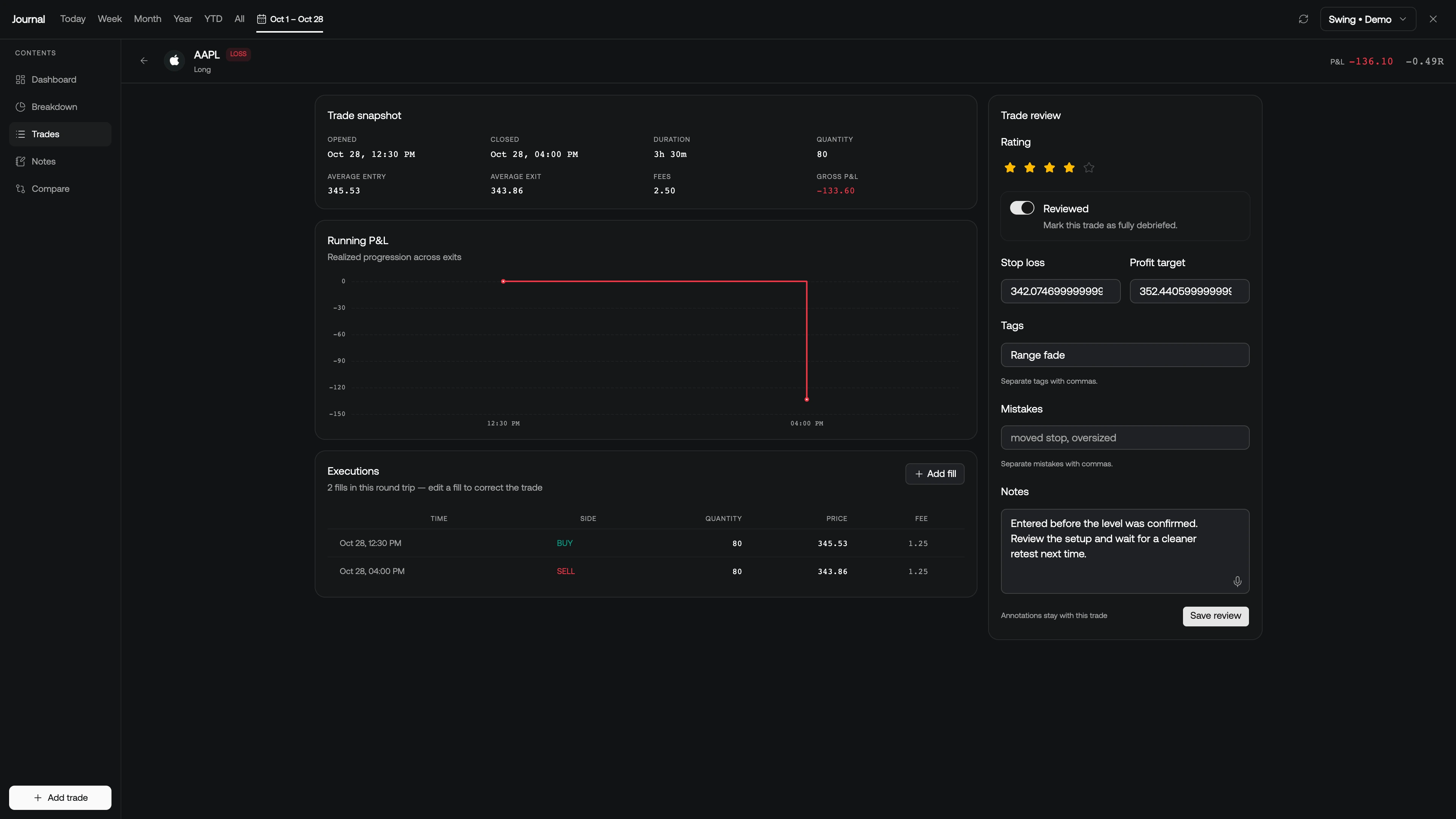
The review rail is yours and survives a re-sync or re-import:
- Rating (1–5 stars)
- Reviewed — mark the debrief done
- Stop loss and Profit target (prices at entry; stop unlocks R)
- Tags and Mistakes (comma-separated, e.g.
breakout, A+ setup) - Notes
Save review. On this page you can also quick-edit a review without leaving the list.
Filter the book by status (open / wins / losses / breakeven) and side (long / short), and sort by symbol, time, P&L, R, hold time, or rating.