
Overview
Log fills, review trades on the chart, and read your P&L and Edge Score.
Screenshots use illustrative demo data.
The Journal is your trading log in Vela, our next-generation charting platform. It lives on your account, not inside a workspace: switching layouts keeps the same accounts, fills, and notes. Sharing a workspace never includes journal data.
You need to be signed in. The journal is included on every plan.
Open the Journal
Click Journal in the right-hand panel rail. A column opens beside the charts.
Add an account
Connect a broker, import a statement, or create a manual account. Each paper account has its own journal account already, filled as you trade.
Log or sync fills
Broker accounts refresh daily on their own, or immediately from Refresh in the journal header. Manual and import accounts take fills you add by hand, including from the chart.
Review
Maximize for the dashboard, open a trade to debrief it, or click a calendar day for that session.
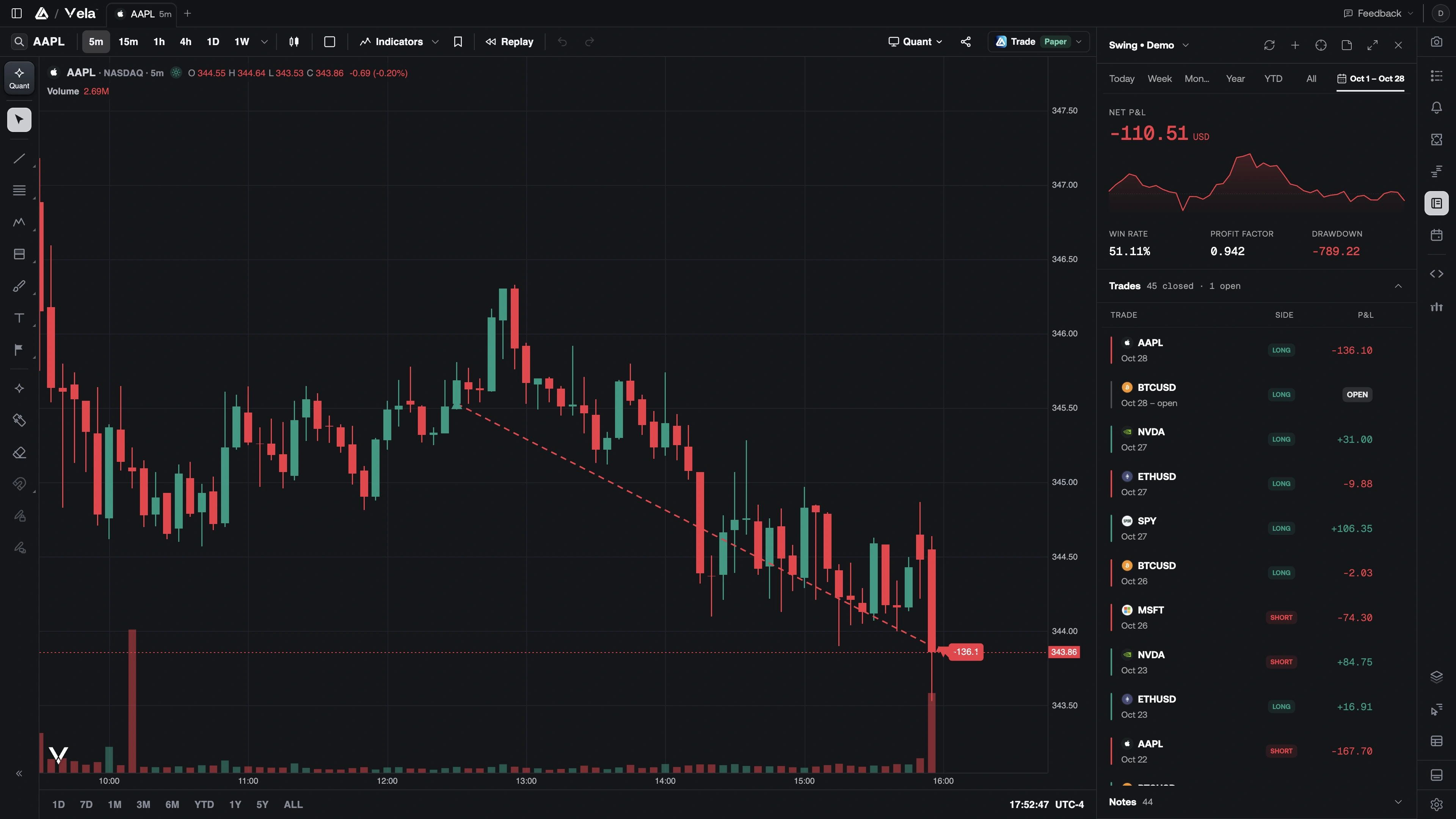
The column and the dashboard
The compact column is the everyday surface: account, date range, headline P&L, the trade list, and today's note. Maximize opens the full journal. On desktop with workspace tabs, it opens a Journal tab that you can split beside a chart; the tabs' + panel also opens Journal. Return to chart puts the column back. The same account and range carry across.
The maximized sidebar is the rest of this section:
Accounts
Connect a broker, import a statement, start a manual book, or rename and delete.
Dashboard
Equity, Edge Score, daily P&L, drawdown, and the calendar.
Trades
Log fills, review a round trip, and see trades on the chart.
Notes
Day notes from the column, the Notes page, or the chart.
Breakdown
Where P&L comes from: weekday, hold time, symbol, tags.
Compare
One account against another, or this range against the last.
Trades on the chart
While the Journal is open, matching trades paint on the price pane of the active chart:
- An entry triangle at average entry (up for longs, down for shorts)
- An exit flag at average exit
- A dashed line between them carrying the net P&L
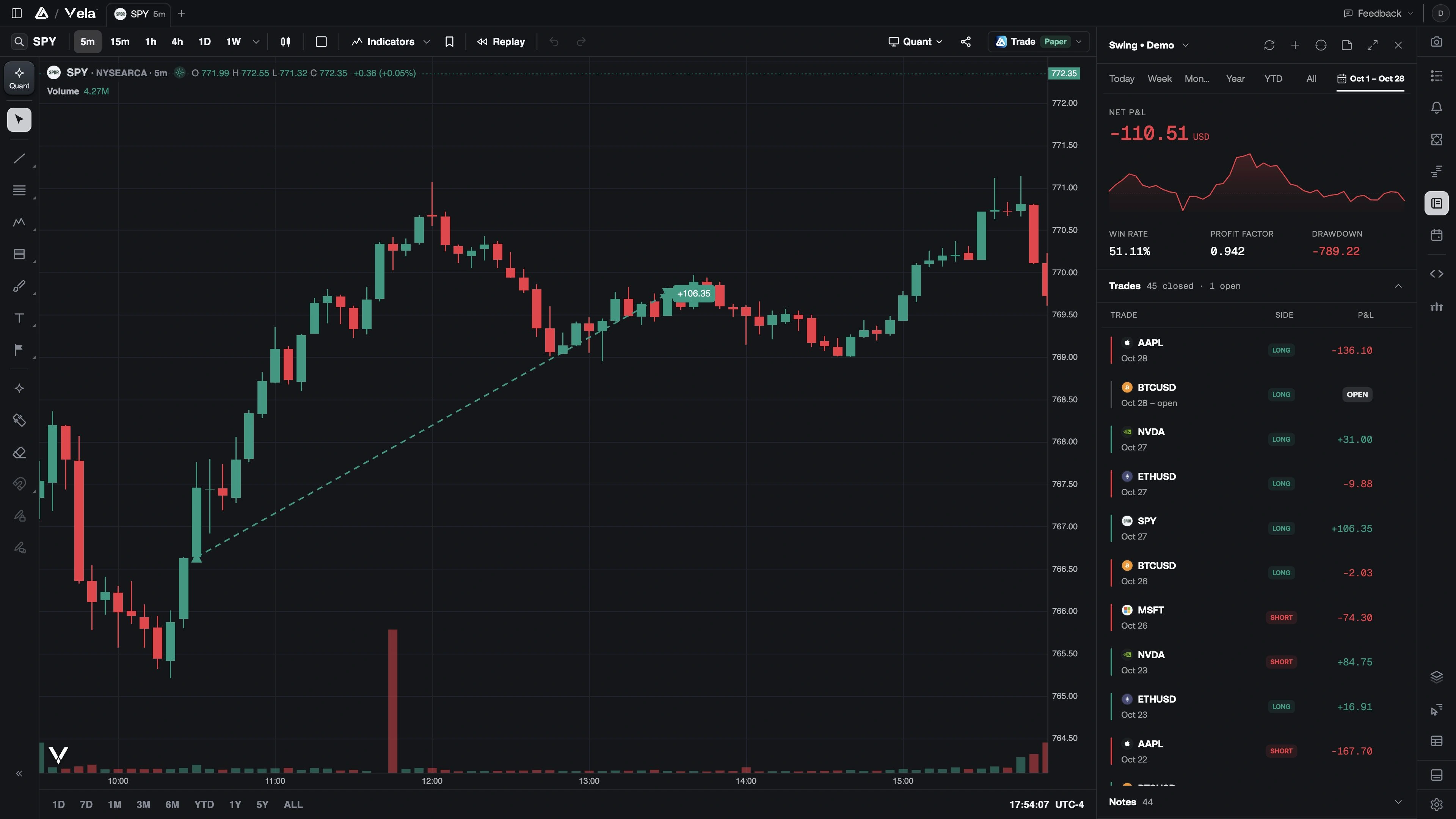
Markers follow the selected account (or All accounts) and only the chart's current symbol. Closing the Journal removes them.
They are not drawings. They do not save with the workspace, and they do not use an indicator slot. How to log a fill from the chart, and how to jump a row back onto the candles, is on Trades.
What a trade is
You log fills. The journal derives each round trip (flat → flat) from them: average entry and exit, fees, net P&L, duration, and win / loss / breakeven. A second fill on the other side of the same symbol closes or reduces the position.
| Status | Meaning |
|---|---|
| Open | Quantity is still on |
| Win / Loss | Closed, net P&L above or below zero |
| Breakeven | Closed, net P&L is zero |
Your tags, rating, stops, and notes stay attached when fills are re-synced or re-imported. Day boundaries follow your journal timezone, seeded from the browser the first time you open the journal.